Messages
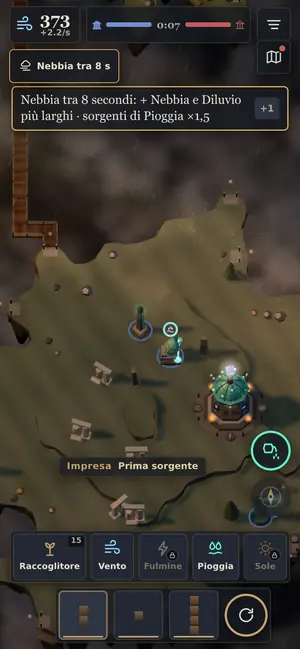
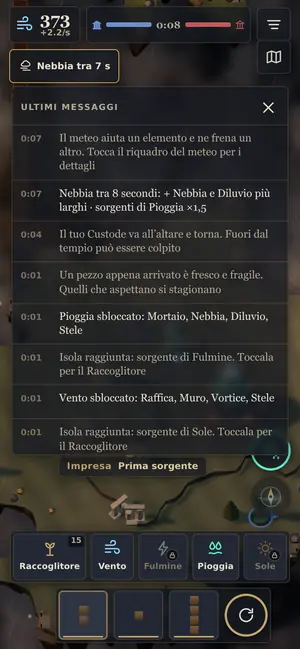
All messages are in one place, under the bar at the top. Dangers stay as long as they last.
How they work
Dangers, like the temple under fire or the Keeper down, stay as long as they last. Other messages go away on their own. Tap a message to take the view to where it happened. Hold it down, or press H, to read the last ones again. In Settings you can choose Essential: only dangers and important events stay, the rest goes to the log.
The weather
The small box at the top right, under the bar, tells you the sky that is coming or that is here. Tap it to learn what helps and what holds back. See Reading the weather.
See also
- Mentioned here or mentioning this page
- Reading the weather
What’s new
- v22 Messages sit on one line under the bar and disappear after a few seconds; danger messages stay for 8 seconds, on two lines. You can find them again in the history. “New” and “Feat” are two small tags. When Cirro finishes something, “Good job” and “No” show up for a few seconds at the bottom right.
- v20 The village flag is bigger and you can see it at night too; after you tap, a message says which way the village will grow. Huts, houses and great houses have three different sizes.
- v18 In four-player matches the messages follow the story: the enemy Keeper brought to your altar turns to light and rises to the gods. The route says fifteen worlds in the Feats too.
- v17 With full faith the Miracles button pulses and says how many miracles you can cast; now and then a message reminds you.
- v17 Late hours: an hourglass replaces the symbol of the temple that is wearing down. On First Flight and Breeze, the message also says when yours begins. If a temple collapses because of the late hours, the message says so.
- v17 The “You destroyed…” and “You lost…” messages are back, along with the cost above a new building and the sounds of shots.
- v14 Messages are in one place only, under the top bar. Dangers stay as long as they last, the rest go away on their own. Tap a message to see where it happened. Hold it down, or press H, to read the latest ones again.