Minimap
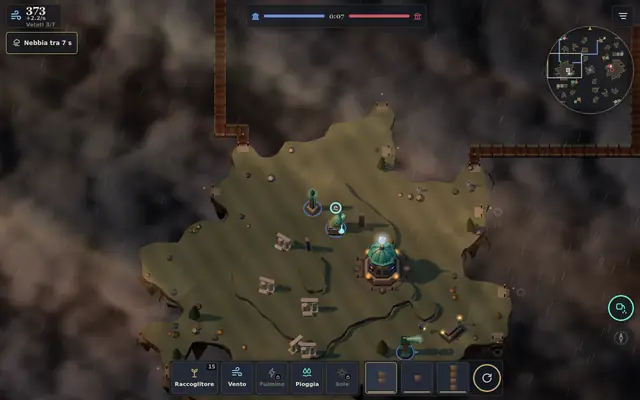
A small map of the whole sky, drawn by the game. Tap to go there, drag to scroll, hold for a signal.
What it shows
Islands, your bridges and the enemy’s, temples and altars, springs in the color of their element, the Keeper and the Carrier when they are out, the frame of what you are looking at, and the signals: red for the temple under attack, orange for a bridge brought down, amber for the target the enemy announced, white for yours. The light zones and the weather front can be turned on in the Settings.
Controls
- Tap a spot: the view goes there.
- Drag: the view scrolls.
- Hold down: you leave a signal of your own for a few seconds. Online it stays on your screen.
On the phone the minimap starts closed: tap the drop at the top, next to the menu, then Minimap. On the computer it starts open.
See also
- Mentioned here or mentioning this page
- On your phone · Settings · Steles and light
What’s new
- v24.6.1 The map button under the minimap has its icon back in the middle.
- v22 On phones the map is clear again. At the top there’s a single bar: wind, the two temples with the clock, a drop with your faith, and the menu. Tap the drop to open faith and followers, the God, Cirro, “Tend the village” and the minimap; when a prayer arrives, the drop lights up.
- v20 Settings in sections: a first page with six entries (Sound, Graphics, Controls and view, Minimap, Game, Profile and info), each with a line showing what’s set. Rare options are under “More”. Back takes you to the sections.
- v17.2 Settings sorted into sections: Sound, Graphics, Controls and view, Minimap, Game, Profile, About. In Profile you change the name others see online, and About shows the version.
- v17.1 The four temples are at the top, each with its color and its sign (circle, square, triangle, diamond): you can tell them apart even without the colors. The minimap colors each side’s bridges.
- v14 Minimap: tap to go to a spot, drag to scroll, hold down to leave a signal of your own. On phones it opens from the map button. Size, corner and layers are chosen in Settings.